Starting your account
In this article:
Signup
Opening an account is easy! First, go here.
Choose to enter an email address and create a password or sign up through Google or Apple.
💡TIP: We recommend creating an account through Google or Apple. These options tend to be more secure than traditional email and password combinations.
During signup, you'll enter your name, which is only shown in your account.
You'll be able to fill in business information and select an Email design. This can also be changed at any time later on in your Settings. Read more about email design here: Email design
Import contacts
Right after onboarding, you'll be able to go to Audience and start importing your contacts.

Upload as many lists as you want! There is no limit. You're only required to share how you acquired the contacts and verify that you do have their permission to contact them.
You can read more on importing contacts here.
Upgrade to send campaigns
Once you're ready to contact your subscribers and send them mail, you'll upgrade from Free to the paid version of Mailaway.
To upgrade:
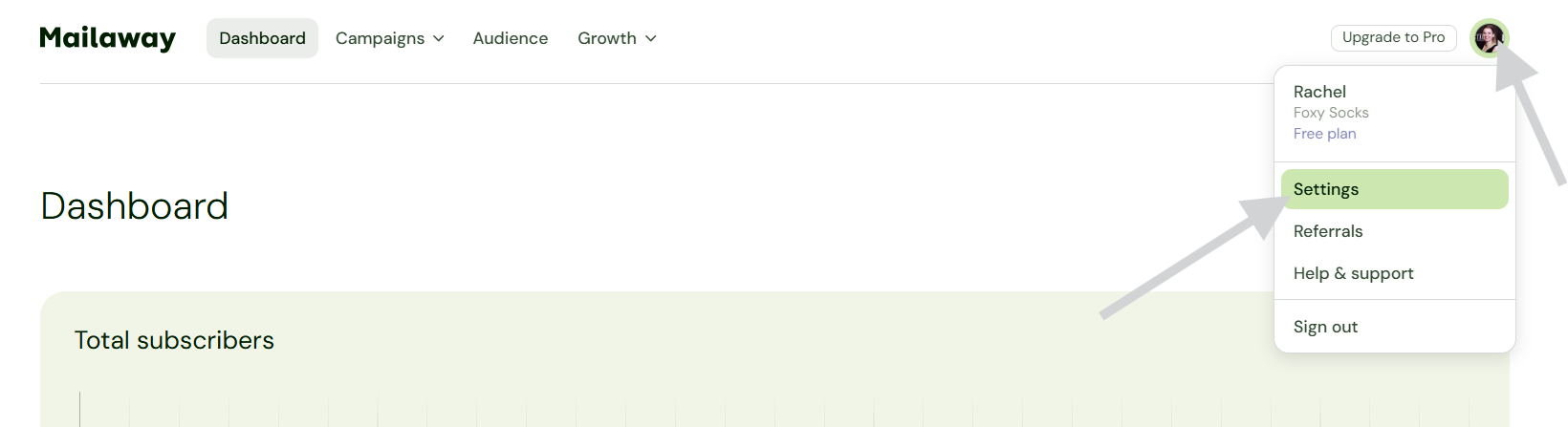
- Click on your profile icon in the upper right corner
-
Select Settings
- Select Subscription plan
- Use the drop-down to choose your monthly email credits
- Click on the green Upgrade to Pro button

Choose anywhere from 50,000-500,000 email credits a month!