Connecting your domain
In this article:
Benefits of connecting a domain
Do I need to connect a domain?
How to connect my domain
To connect your custom domain:
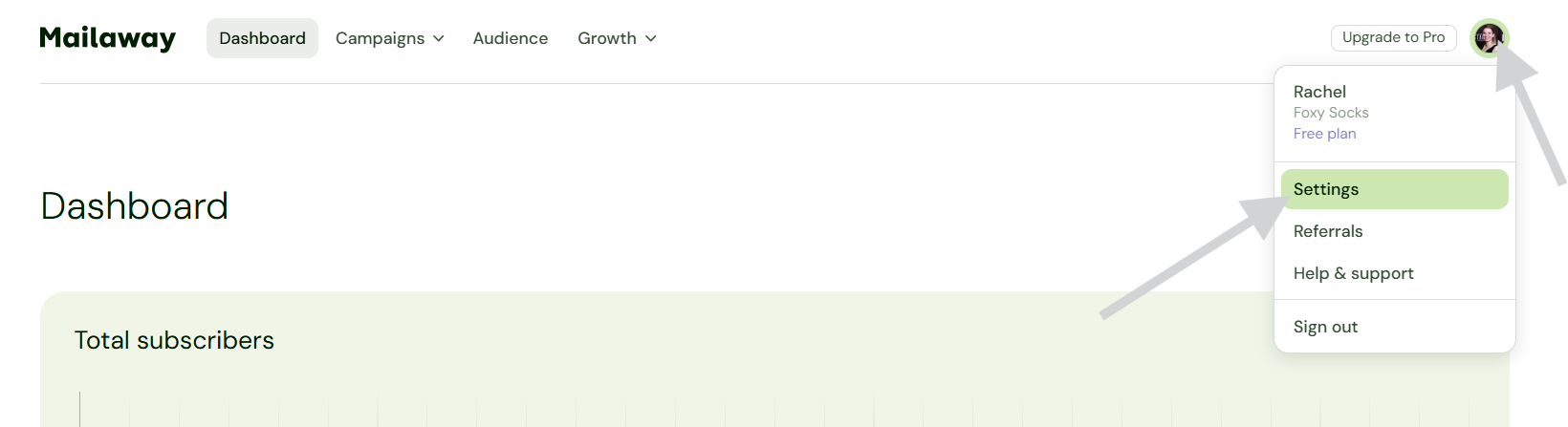
- Click on your profile icon (in the upper right)
-
Go to Settings
-
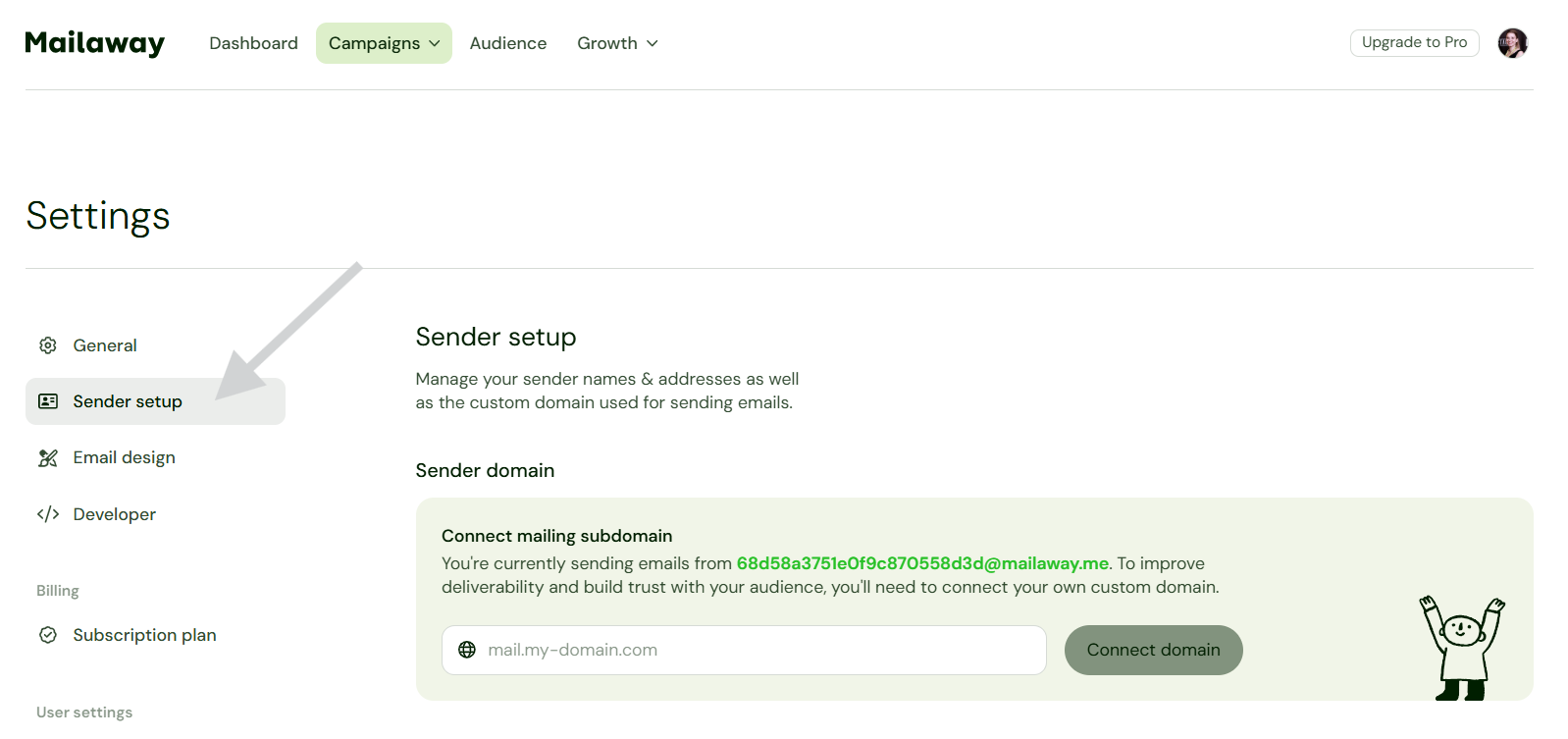
Select Sender setup
Benefits of connecting a domain
Connecting a domain will allow you to create and use different sending addresses, other than your Mailaway sending address.

By default, you'll have a Mailaway sending address that consists of a unique string of numbers and letters. The name used will be your Business name you added. You can see an example below.

Do I need to connect a domain?
Nope! Mailaway already provides you with a sending address.
Connecting a domain is completely optional. Though it will give you the benefit mentioned above.