Using and managing Tags
In this article:
What do Tags do?
Tags are an important way to sort and group your subscribers. Apply Tags to help you identify who to send which emails. This helps you target and reach out more effectively.
💡TIP: Think of tags like digital sticky notes. Use them to label your "coffee lovers" or "VIPs," so you always know exactly who you're talking to!
For example, if you've tagged a group of customers who purchased coffee, you may want to send them emails when a great coffee sale is coming up, or share latte recipes. Or, perhaps you want to email and ask how well they liked their coffee purchase. Tag them with "coffee-customers" or something similar to help you segment who to contact about what.
Apply this same idea in a way that helps you!
Adding and removing Tags
Tags can be applied when importing contacts. But they can also be added, edited, and removed after your contacts are imported.
To do this:
- Go to Audience
- Select any number of contacts
-
Click Update tags
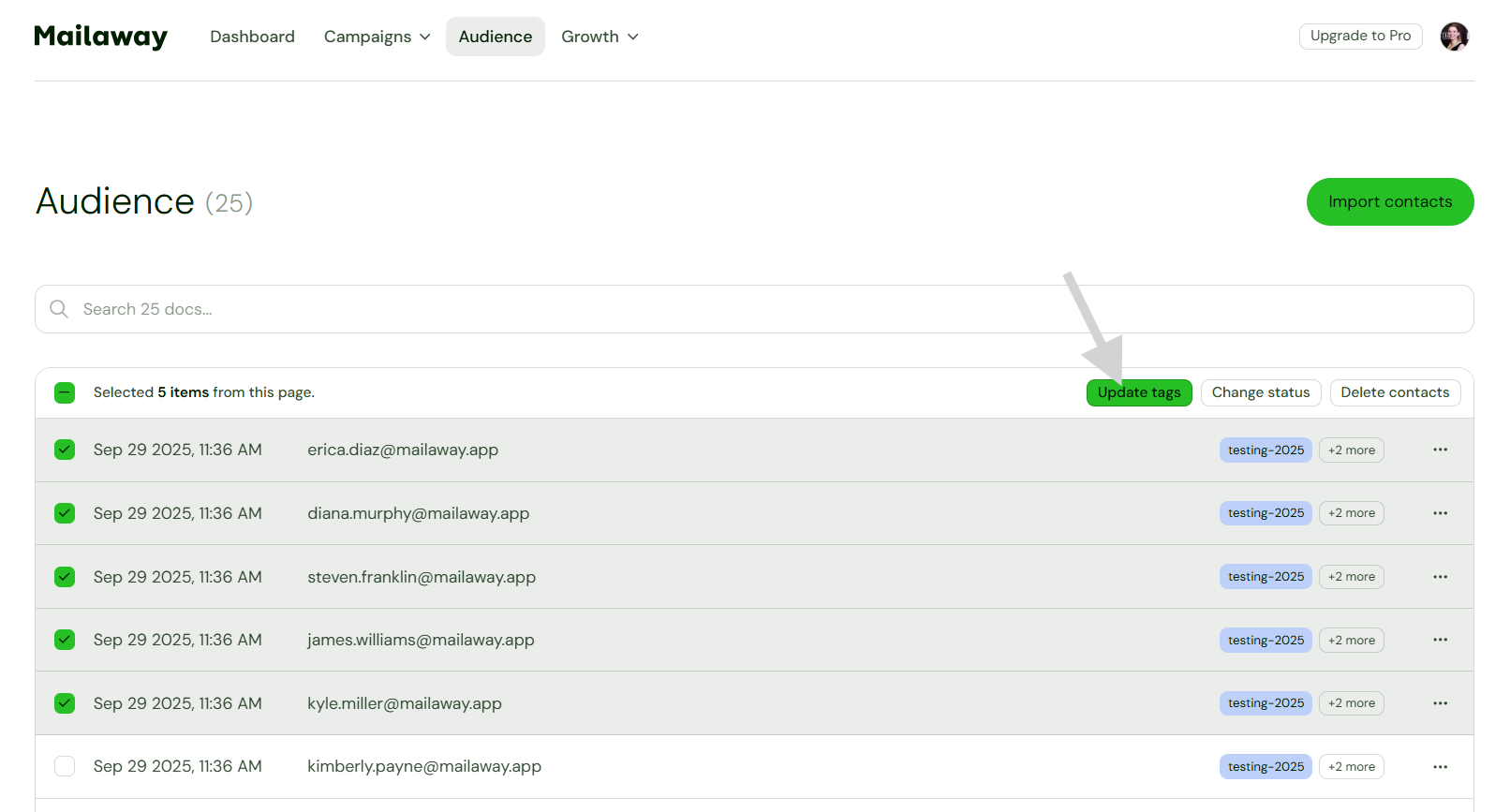
- Add, remove, and create tags as needed
- Then Update tags

Tags can also be automatically added when someone signs up through your Subscribe page or form.